
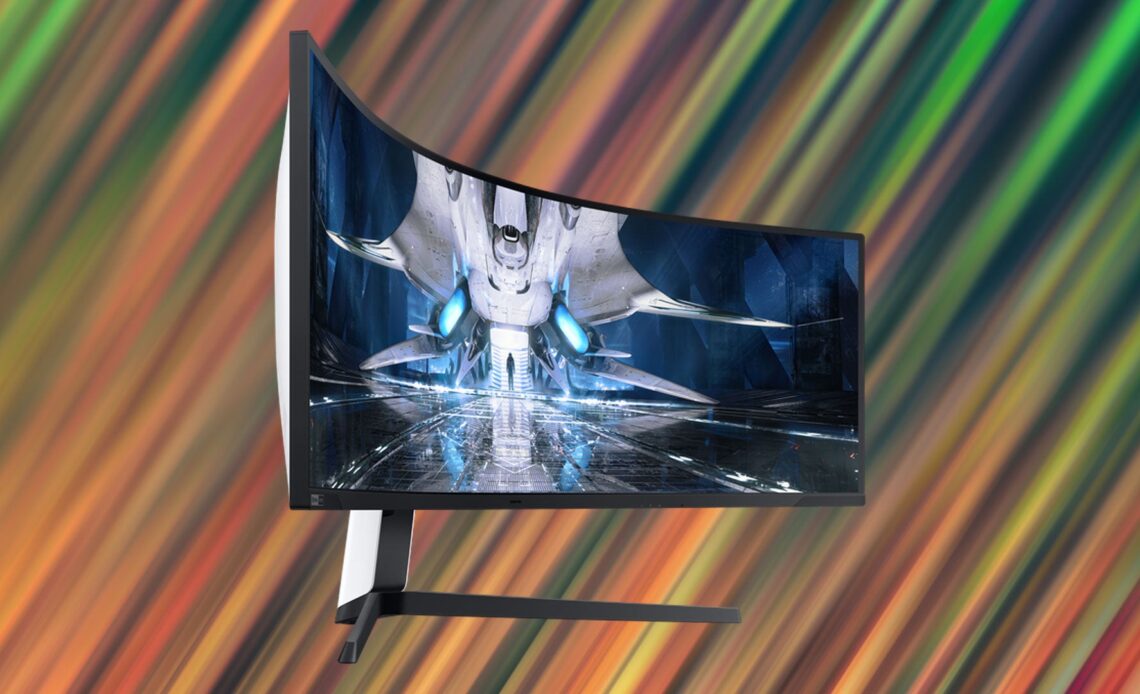
The Best Curved Gaming Monitors are not just luxury upgrades for serious gamers. They wrap your peripheral vision into the action, reduce eye strain during long sessions, and deliver an immersive experience that flat screens simply cannot match.
For most gamers, the LG 34GP950G-B (34″ ultrawide, 180Hz, Nano IPS) hits the sweet spot between performance and value. If budget isn’t a concern and you want the most cinematic setup possible, the Samsung Odyssey G9 49″ is in a league of its own.
Why Choose a Curved Monitor for Gaming?
The curve on a gaming monitor isn’t just for looks. There are real, practical benefits:
- Wider field of view: Ultrawide curved displays show more of the game world without turning your head.
- Reduced eye strain: The curve keeps all parts of the screen roughly equidistant from your eyes.
- Deeper immersion: Racing, RPG, and open-world games feel dramatically more immersive.
- Better multitasking: Wider aspect ratios let you run two windows side by side with ease.
Specs That Matter: Quick Reference
Before picking a monitor, understand what these specs actually mean for your gaming experience:
| Spec | What It Means | Recommended Value |
| Curve Radius | How aggressively the screen curves | 1000R-1800R |
| Refresh Rate | Frames displayed per second | 144Hz minimum, 165Hz+ ideal |
| Resolution | Sharpness of the image | 1440p (QHD) or higher |
| Panel Type | Affects color, response time, contrast | IPS for color; VA for contrast; OLED for both |
| Response Time | How fast pixels change color | 1ms GtG or lower |
Top 5 Curved Gaming Monitors Compared
Here are the best options across different budgets and use cases:
| Monitor | Size / Curve | Resolution | Refresh Rate | Panel | Best For |
| LG 34GP950G-B | 34″ / 1800R | 3440×1440 | 180Hz | Nano IPS | AAA / RPG games |
| Samsung Odyssey G9 | 49″ / 1000R | 5120×1440 | 240Hz | VA | Dual monitor replacement |
| ASUS ROG Swift PG34WCDM | 34″ / 1800R | 3440×1440 | 175Hz | OLED | Color accuracy + gaming |
| MSI MPG Artymis 343CQR | 34″ / 1500R | 3440×1440 | 165Hz | VA | Budget ultrawide |
| Dell S3422DWG | 34″ / 1800R | 3440×1440 | 144Hz | VA | Casual gamers |
Which One Should You Buy?
The right curved monitor depends on what you play and what you’re willing to spend:
- Best overall: LG 34GP950G-B – excellent color accuracy, fast refresh, and great build quality.
- Best for content creators + gamers: ASUS ROG Swift PG34WCDM – OLED panel with stunning blacks and color.
- Best ultrawide experience: Samsung Odyssey G9 – if you’ve got the desk space and GPU to push it.
- Best budget pick: Dell S3422DWG – solid VA panel, 144Hz, and very competitive pricing.
Final Tips Before You Buy
Make sure your GPU can push the resolution and refresh rate you’re buying – a 5120×1440 240Hz display needs serious horsepower. Also check if your desk has enough depth and width for ultrawide panels, which often need 80+ cm of horizontal space.
Curved monitors are one of those upgrades you notice every single time you sit down to play. Once you go curved, it’s genuinely hard to go back.